포스팅은 CloudNet@팀 서종호(Gasida)님이 진행하시는 AWS EKS Workshop Study 내용을 참고하여 작성합니다.
안녕하세요!
이번 포스팅은 KEDA AutoScaler에 대해서
소개하고 실습하는 시간을 갖도록 하겠습니다.
01. KEDA AutoScaler 소개
기존의 HPA(Horizontal Pod AutoScaler)는 리소스(CPU, Memory) 메트릭을 기반으로
스케일 여부를 결정했었습니다.
하지만, 실제 프로덕션 환경에서는 아래와 같은 상황이 더 많이 발생합니다.
Kafka 토픽에 메시지가 10만개 쌓였다 → worker 늘려야 함
RabbitMQ 큐가 비었다 → worker 0개로 줄여야 함
DB에 대기 중인 작업이 많다 → 처리 파드 늘려야 함
CPU는 멀쩡한데 일감이 폭발하는 상황이에요. 이 상황들은 HPA로는 못잡죠.
이러한 이벤트를 활용하여 worker의 scale을 결정한다면 queue에 task가
많이 추가되는 시점에 더 빠르게 확장이 가능합니다.
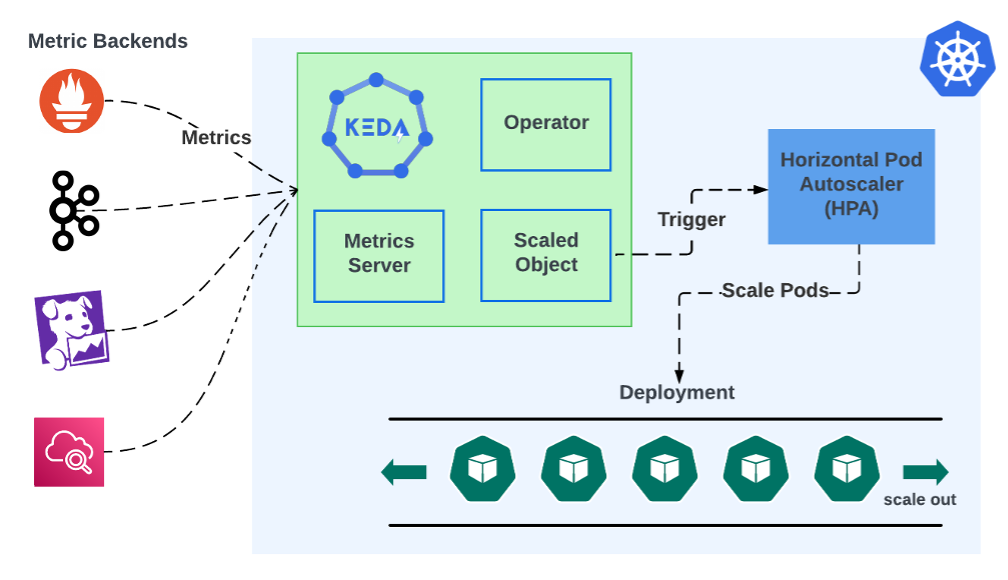
즉, KEDA는 이런 외부 이벤트 소스를 직접 보고 스케일링 합니다.
KEDA의 내부 구조 3가지는 아래와 같습니다.
keda-operator
    └─ ScaledObject 감시
    └─ 이벤트 소스 폴링
    └─ 0 ↔ 1 활성화/비활성화 담당

keda-operator-metrics-apiserver
    └─ 외부 메트릭을 HPA가 읽을 수 있게 변환
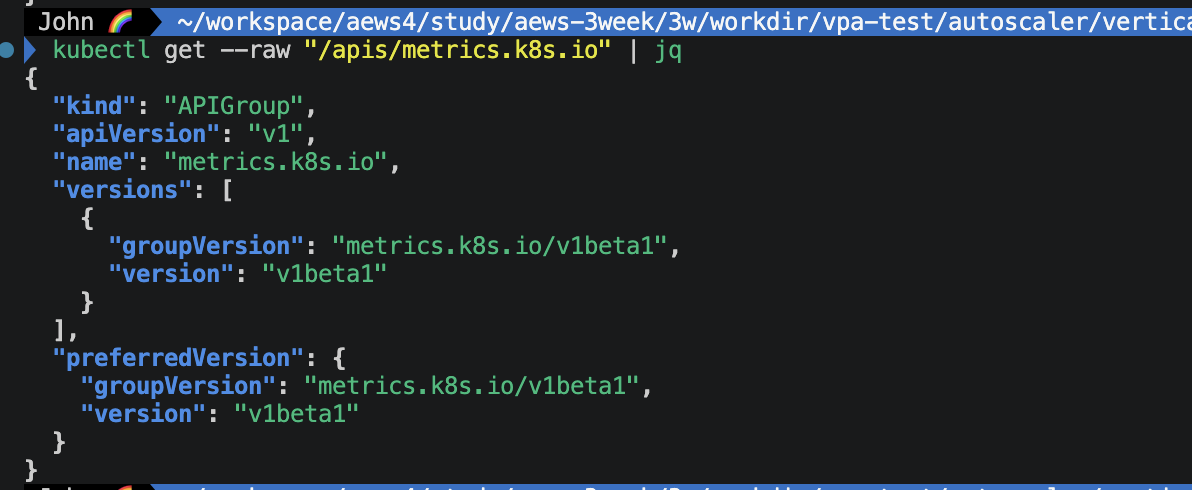
    └─ external.metrics.k8s.io API 서빙
    └─ HPA가 이 값 기반으로 실제 스케일 수행

keda-admission-webhooks
    └─ ScaledObject 잘못 설정 방지
    └─ 동일 Deployment에 ScaledObject 중복 방지
그렇다고 해서 KEDA가 HPA를 대체하는 것이 아니고, KEDA가 HPA를 생성하고 관리합니다.
KEDA ScaledObject 생성
    ↓
KEDA가 자동으로 HPA 생성
    ↓
외부 메트릭 → keda-metrics-apiserver → HPA → Deployment 스케일
📌 핵심 기능: Scale to Zero
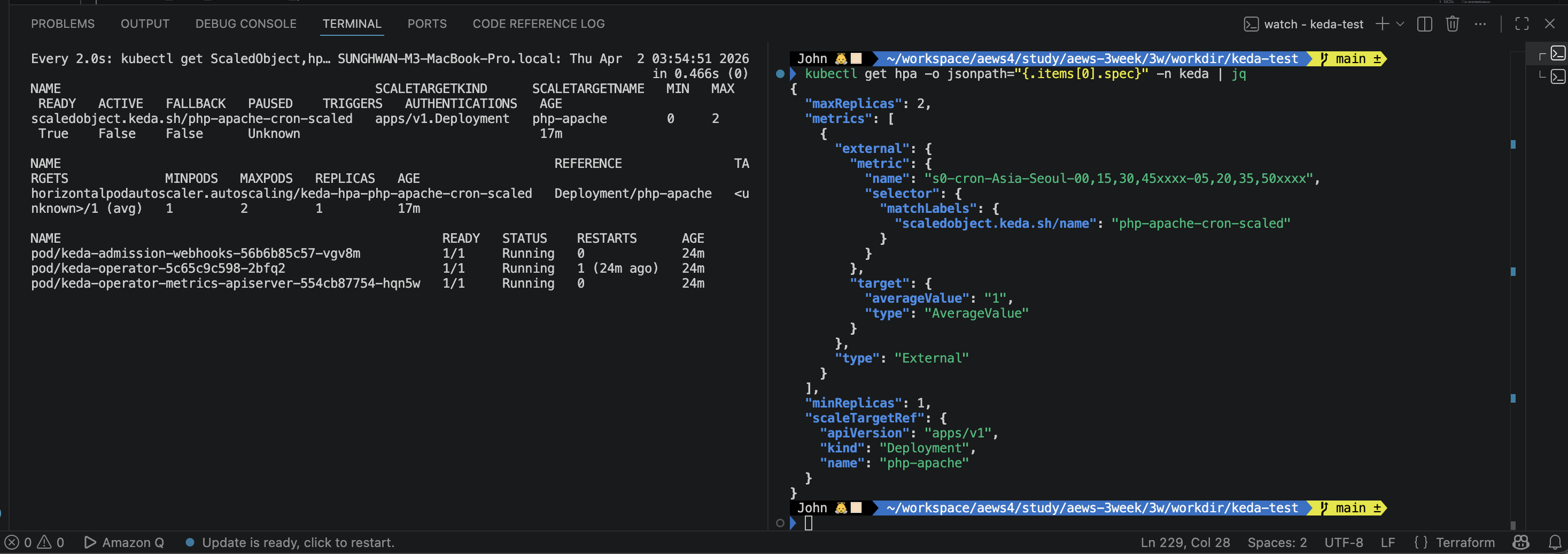
HPA는 최소 1개 파드를 유지해야 하는데, KEDA는 0개까지 줄일 수 있습니다.
이벤트 없음 → 파드 0개 (비용 절감)
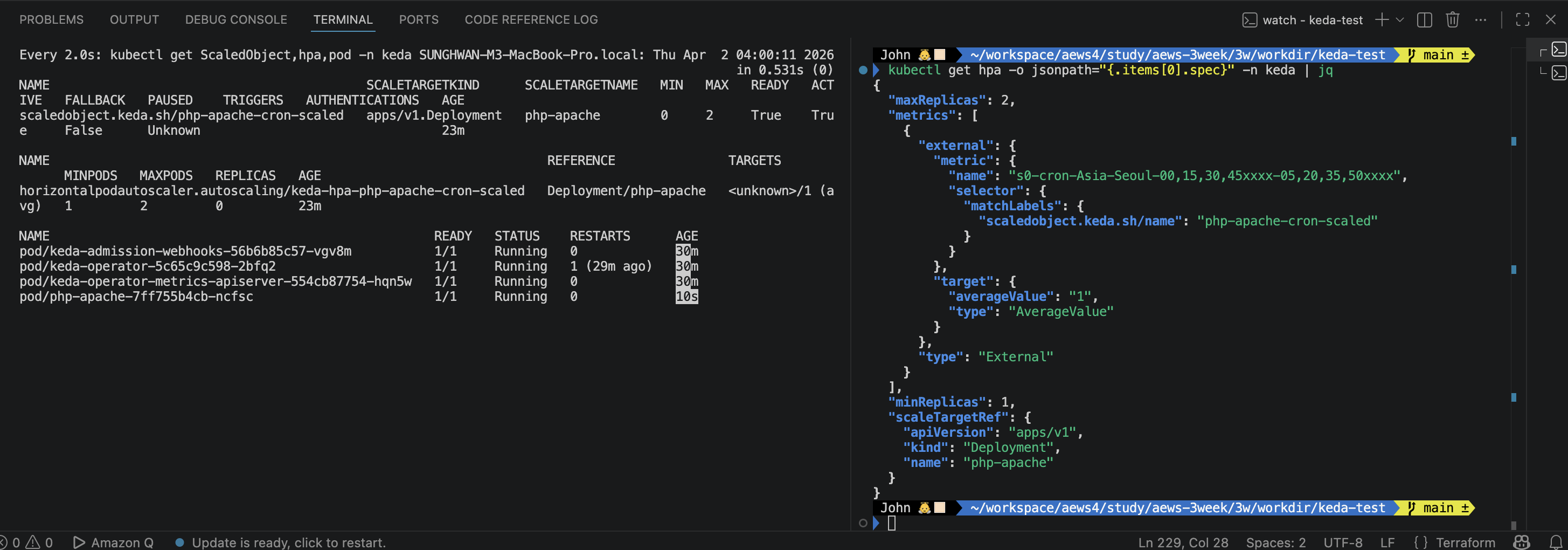
이벤트 발생 → 파드 1개로 활성화 → HPA가 추가 스케일
📌 ScaledObject 구조
apiVersion: keda.sh/v1alpha1
kind: ScaledObject
metadata:
  name: my-scaler
spec:
  scaleTargetRef:
    name: my-deployment      # 스케일 대상
  minReplicaCount: 0         # 0까지 줄임
  maxReplicaCount: 10
  triggers:
  - type: kafka              # 어떤 이벤트 소스를 볼지
    metadata:
      topic: my-topic
      lagThreshold: '5'      # 파드당 lag 5 초과 시 스케일
cat <<EOT > keda-values.yaml
metricsServer:
  useHostNetwork: true

prometheus:
  metricServer:
    enabled: true
    port: 9022
    portName: metrics
    path: /metrics
    serviceMonitor:
      # Enables ServiceMonitor creation for the Prometheus Operator
      enabled: true
  operator:
    enabled: true
    port: 8080
    serviceMonitor:
      # Enables ServiceMonitor creation for the Prometheus Operator
      enabled: true
  webhooks:
    enabled: true
    port: 8020
    serviceMonitor:
      # Enables ServiceMonitor creation for the Prometheus webhooks
      enabled: true
EOT

helm repo add kedacore https://kedacore.github.io/charts
helm repo update
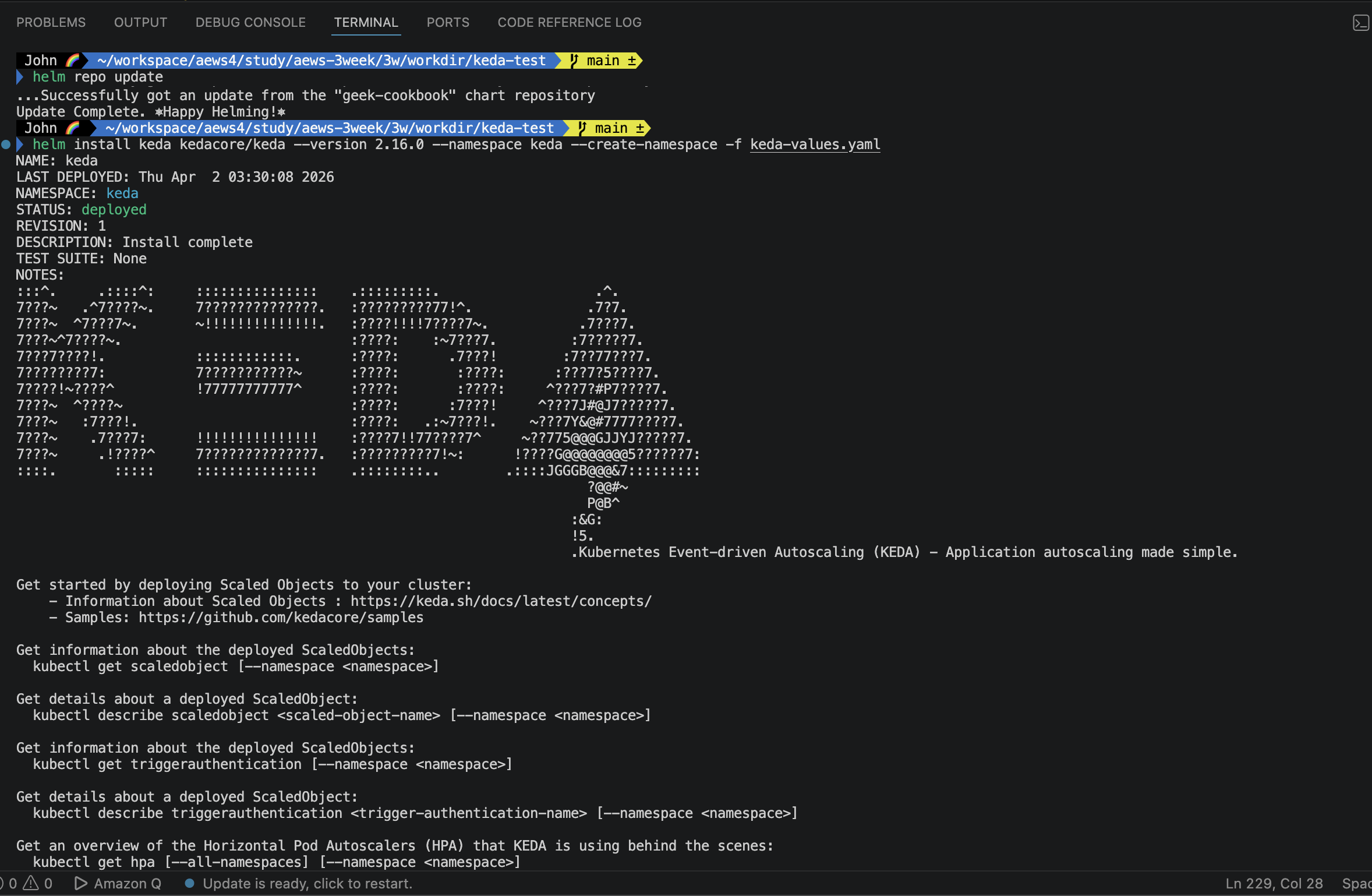
helm install keda kedacore/keda --version 2.16.0 --namespace keda --create-namespace -f keda-values.yaml
아래와 같이 helm install로 keda를 불러오자.
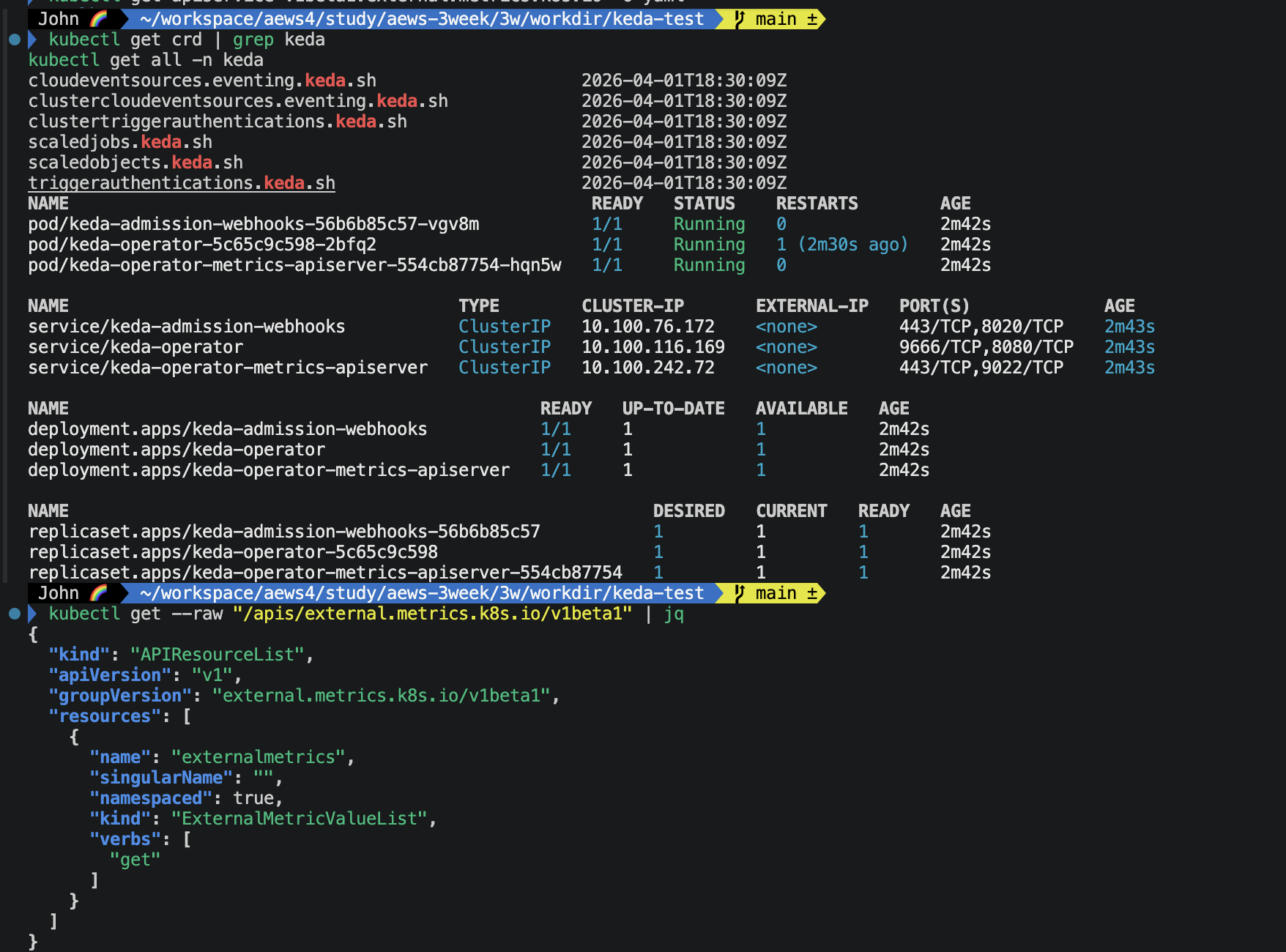
KEDA 설치 확인
KEDA가 잘 올라온 것을 확인할 수 있습니다.
3개의 KEDA 파드 모두 Running 상태 확인. KEDA CRD 6개 모두 등록 확인. external.metrics.k8s.io/v1beta1 API 정상 응답 확인.
📌 KEDA 네임스페이스에 디플로이먼트 생성
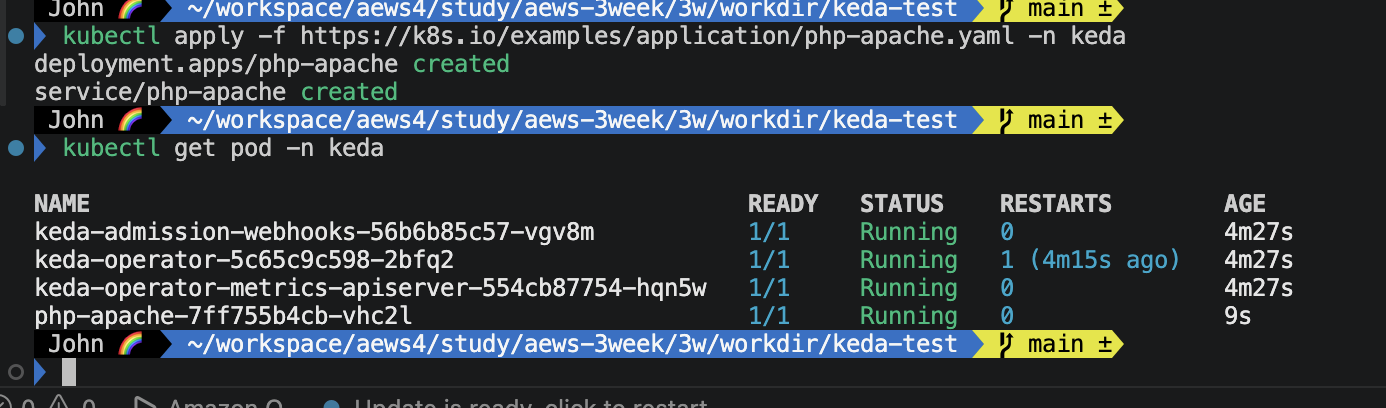
kubectl apply -f https://k8s.io/examples/application/php-apache.yaml -n keda
kubectl get pod -n keda
테스트용 파드인 php-apache.yaml 파일을 올렸습니다.
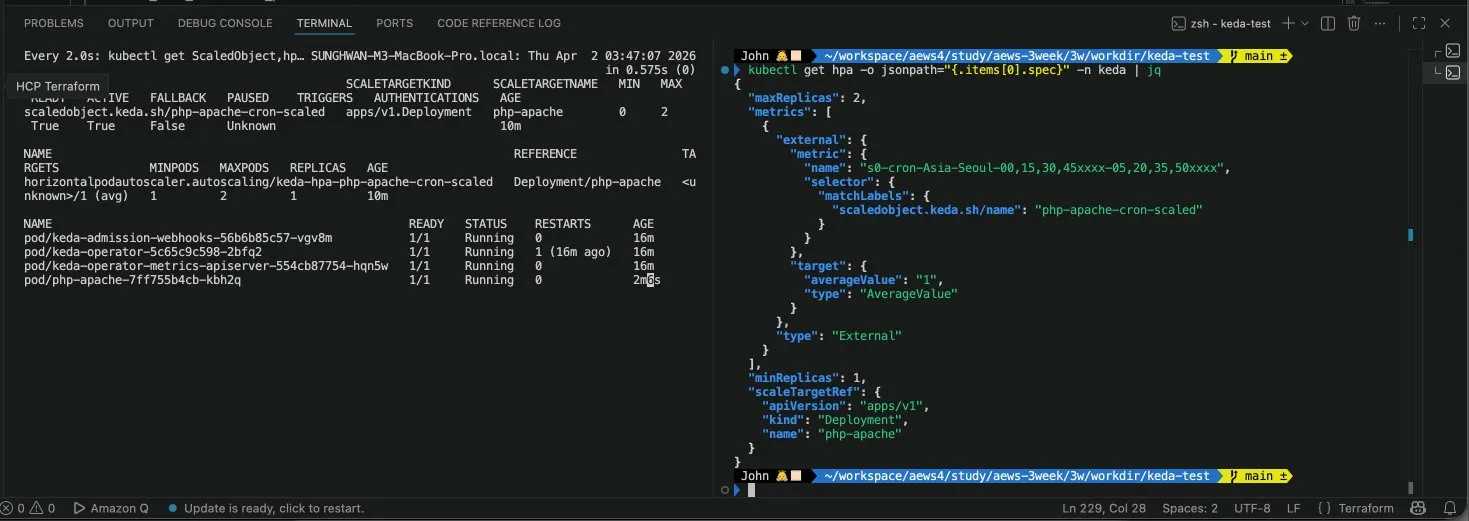
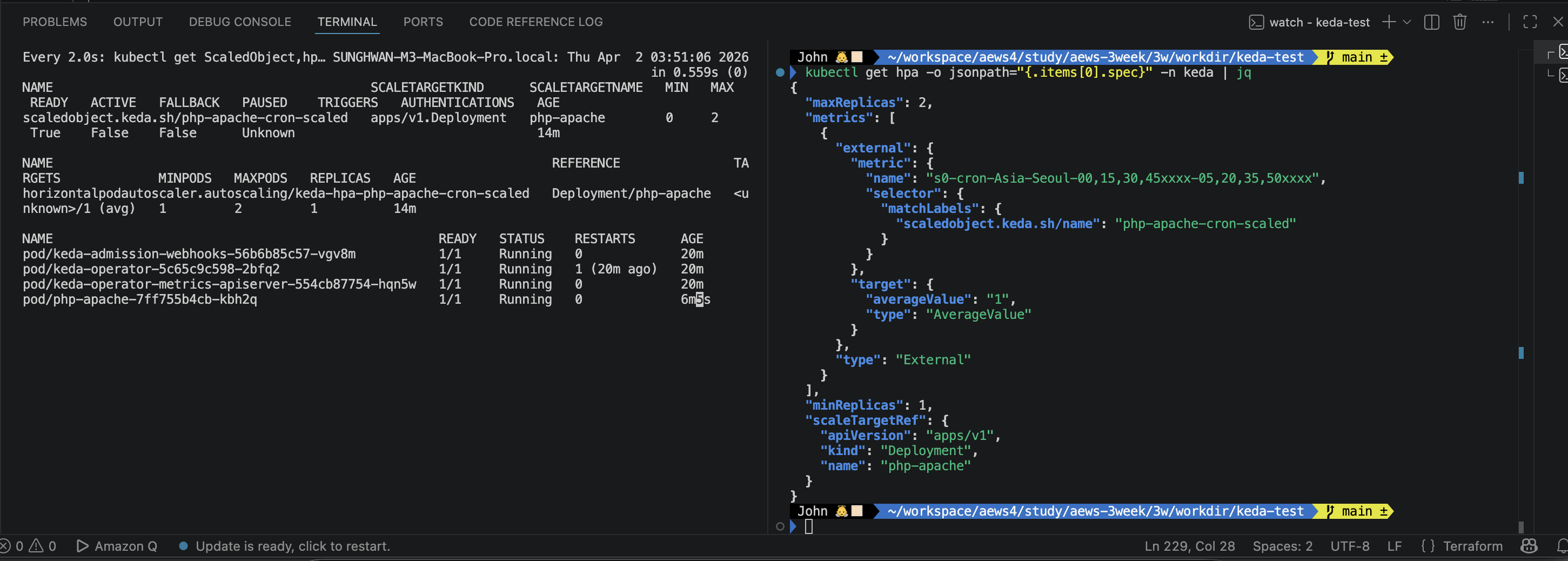
📌 ScaledObject 생성 (cron 기반)
# ScaledObject 정책 생성 : cron
cat <<EOT > keda-cron.yaml
apiVersion: keda.sh/v1alpha1
kind: ScaledObject
metadata:
  name: php-apache-cron-scaled
spec:
  minReplicaCount: 0
  maxReplicaCount: 2  # Specifies the maximum number of replicas to scale up to (defaults to 100).
  pollingInterval: 30  # Specifies how often KEDA should check for scaling events
  cooldownPeriod: 300  # Specifies the cool-down period in seconds after a scaling event
  scaleTargetRef:  # Identifies the Kubernetes deployment or other resource that should be scaled.
    apiVersion: apps/v1
    kind: Deployment
    name: php-apache
  triggers:  # Defines the specific configuration for your chosen scaler, including any required parameters or settings
  - type: cron
    metadata:
      timezone: Asia/Seoul
      start: 00,15,30,45 * * * *
      end: 05,20,35,50 * * * *
      desiredReplicas: "1"
EOT

kubectl apply -f keda-cron.yaml -n keda
오브젝트 핵심 옵션 상세 내용:
minReplicaCount: 0 → HPA는 최소 1개 유지, KEDA는 0개까지 가능 (비용 절감) pollingInterval: 30 → 30초마다 이벤트 소스 체크, Cron은 시간 기반이라 크게 의미 없습니다. cooldownPeriod: 300 → 이벤트 없어진 후 바로 0으로 내리지 않고 5분 대기 후 스케일 다운 (flapping 방지)